
Fintech UX • Modular Checkout System
03
Contextual flows for cards, wallets, bank transfer, and regional methods.
15+ methods
Cards, wallets, bank transfer, express checkout, and regional payment systems.
Mobile First
One system. Two layouts. Same logic. Following the end customer usage pattern
Modular
Each method behaves like a
reusable component
Trust-first
Security cues are part of the UI, PCI DSS trust indicators placed near final actions.
Behavioural Hierarchy
Payment methods are categorised and placed based on user behaviour
Scalable
designed to cater requirements as business grows and add additional payment methods
Project context
Constraints
No heavy research. Strong system thinking.
•
Understand what each method needs from the user.
•
Reduce repetition for returning customers.
•
Make the checkout feel safe before payment is submitted.
•
Keep the architecture open for future payment providers.
Design direction
Keep complexity in the system.
The interface should feel calm even when the payment logic is complex.
That meant one shared layout language, progressive disclosure, and a
stricter hierarchy between quick pay, saved cards, and long-form
regional flows.
End Users • Hosted & Non-Hosted Merchant Checkout
Already bought from the merchant
and want a fast return checkout.
New customers need clarity, trust,
and a low-friction start.
Persona 01
Returning customer
A person who has already bought from the merchant before.
They know the brand, trust the transaction path, and want the
fastest way to pay again.
Mindset
1
“I’ve bought here
before, so I just want
to finish quickly.”
2
Wants the checkout
to remember them
without forcing
repetition.
3
Is comfortable using
a saved card or
preferred payment
method.
Needs
✓
Saved cards and
express payment
shortcuts.
✓
A clear selected
state and visible
confirmation.
✓
Minimal typing and
the shortest possible
flow.
Pain points
•
Gets frustrated if
card details must be
re-entered.
•
Will abandon if the
flow feels slower
than expected.
Design response
•
Saved cards at the
top, express
methods nearby,
and a sticky CTA for
quick completion.
Persona 02
New end customer
A person who is buying from the merchant for the first time.
They do not know the flow yet, so the interface must reduce
uncertainty and build trust immediately.
Mindset
1
“Is this merchant
legit, and is my
payment safe?”
2
Looks for signs of
security, clarity, and
professionalism.
3
Needs guidance
because they do not
know the checkout
yet.
Needs
✓
Simple hierarchy and
easy-to-scan
payment options.
✓
Trust signals such as
PCI DSS and secure
checkout indicators.
✓
Clear transaction
summary and low-
risk interaction
design.
Pain points
•
May hesitate if too
many methods look
equally important.
•
May leave if the
page feels outdated
or confusing.
Design response
•
Use clear grouping,
concise labels, and
strong trust cues
near the action.
The checkout is designed for end users of merchant stores — people who either already know the merchant or are discovering it for the first time.
Returning customers want minimal
effort and quick completion.
New customers need easy scanning,
simple copy, and a trustworthy
layout.
Both groups need visible security
and low-risk interactions.
The checkout must support different
payment habits without becoming
cluttered.
Audit
The legacy experience had too many visible states at once. It lacked clear grouping, the field patterns changed from method to method, and trust indicators were weak or buried.
What the audit showed
•
Payment methods were mixed without clear prioritization.
•
Users had to read too much before they could act.
•
Repeat payment paths were not clearly optimized.
•
Desktop and mobile felt like two different products.
•
Security and summary information were visually secondary.
Why it mattered
In payments, clarity is conversion. Every extra second creates doubt.
Every confusing choice creates drop-off. The redesign made hierarchy
visible, reduced scanning effort, and made the payment type obvious
before the user committed.
The old UI worked as a container for payment methods. The new UI works as a guided payment system.

PicPay
Legacy payment method screen

Venus Point
Legacy account login flow

Neteller
Legacy wallet authentication
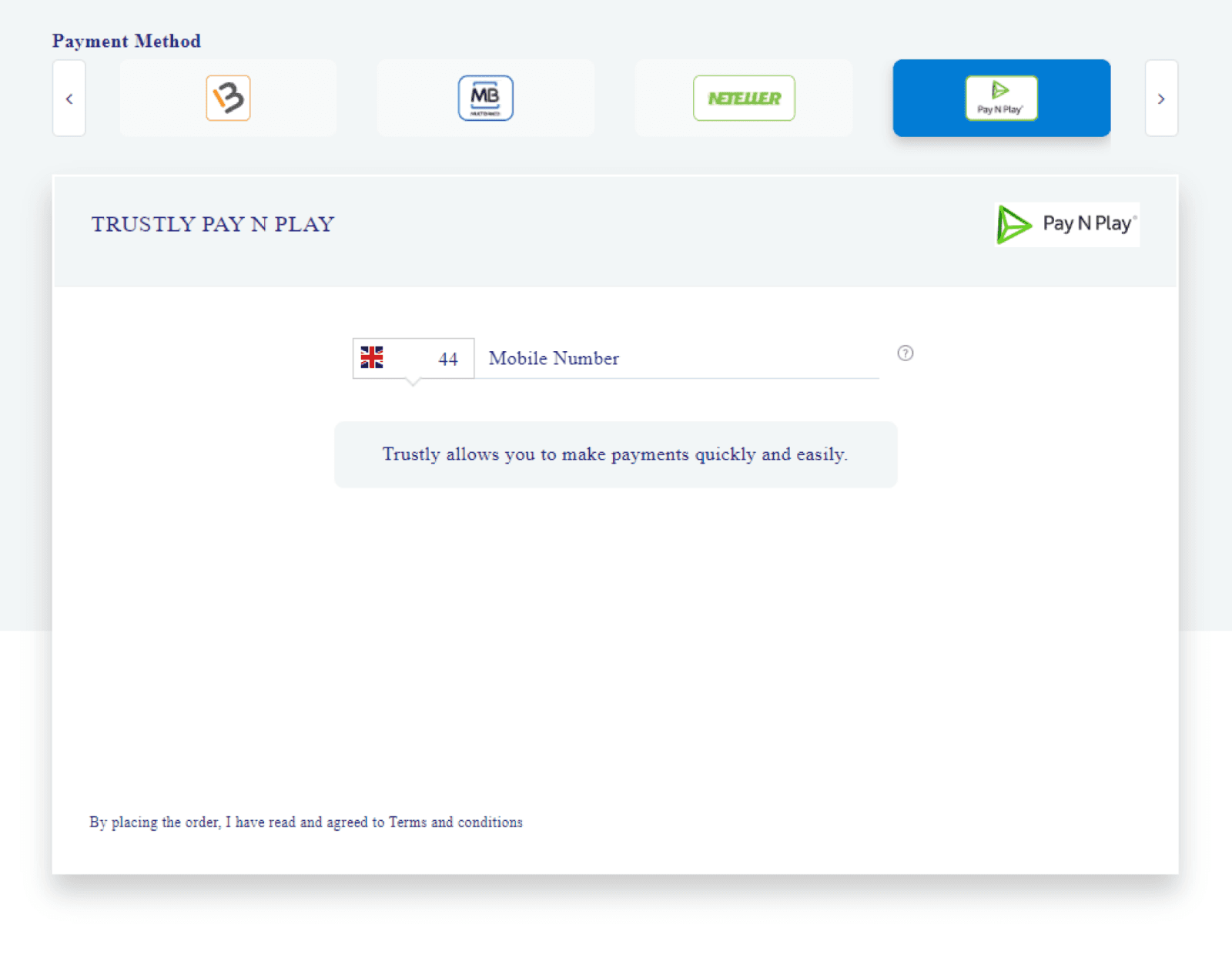
Pay N Play
Legacy redirected payment flow

SEPA
Legacy direct debit flow
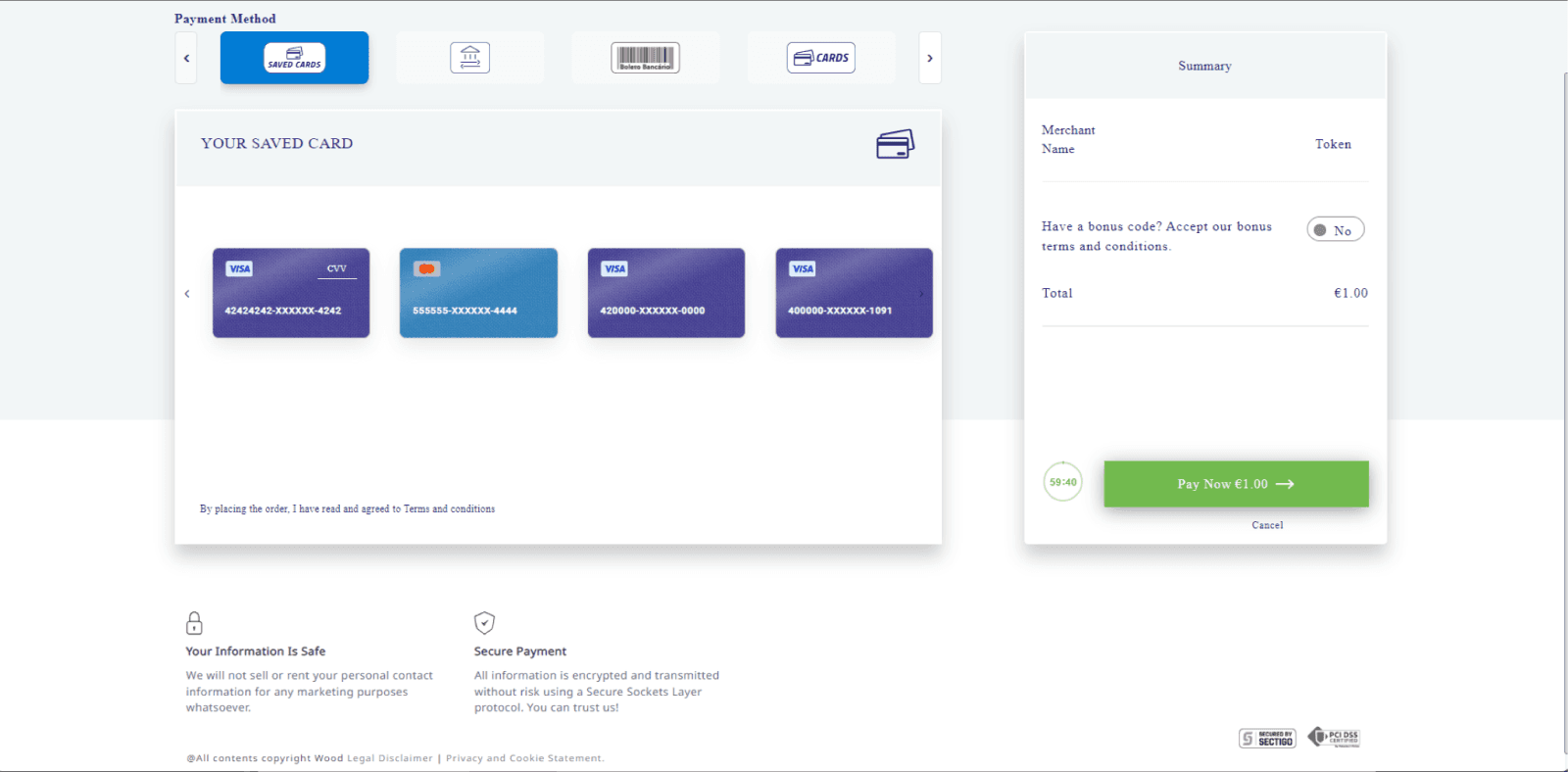
Desktop
Legacy desktop checkout shell

Sofort
Legacy regional bank checkout

Skrill
Legacy wallet entry flow

Bank selector
Legacy country selector interaction
Approach
The system was rebuilt with four rules: show less, group better, stay
consistent, and make security visible.
01
Progressive disclosure
Only the fields needed for the
chosen payment method
appear. This lowers cognitive
load and keeps the page
readable.
02
Behavior-based grouping
Saved cards, express payments,
and all methods are separated.
That makes the mental model
obvious.
03
Trust-first layout
Security badges, safe-hand
messaging, and clear CTA states
were added close to the action
point.
04
Reusable components
The design system supports
future methods by reusing the
same payment shell, states, and
summary behavior.
hierarchy Baked by data
New system

Add card
Bottom-sheet form for adding a new card without leaving
checkout.

Card + express
Selected card state with preferred methods and express
checkout visible.

Express payments
Google Pay, PayPal, and Apple Pay are separated into a fast
lane.

Selected card
Saved card selected state with CVV field revealed inline.

Mobile overview
The main checkout shell with saved cards, preferred
methods, express methods, and the sticky payment bar.
Method flows
Bank and wallet flows
Regional methods like bank transfer, iDEAL, SEPA, Skrill, PicPay, Neteller,
and UPI each follow their own logic. The redesign treats those flows as
modular states, not separate products.
•
Search and selection for banks.
•
Consent states for bank connectivity providers.
•
Localized field sets for region-specific methods.
•
Clear CTA changes when a method is incomplete.
Why overlays work here
They preserve context. Users stay in the checkout frame while the UI
adapts to the selected method. That makes the journey feel faster than a
hard route change.
The payment method changes. The mental model stays stable.

Bank transfer
Bank transfer list and selection flow.
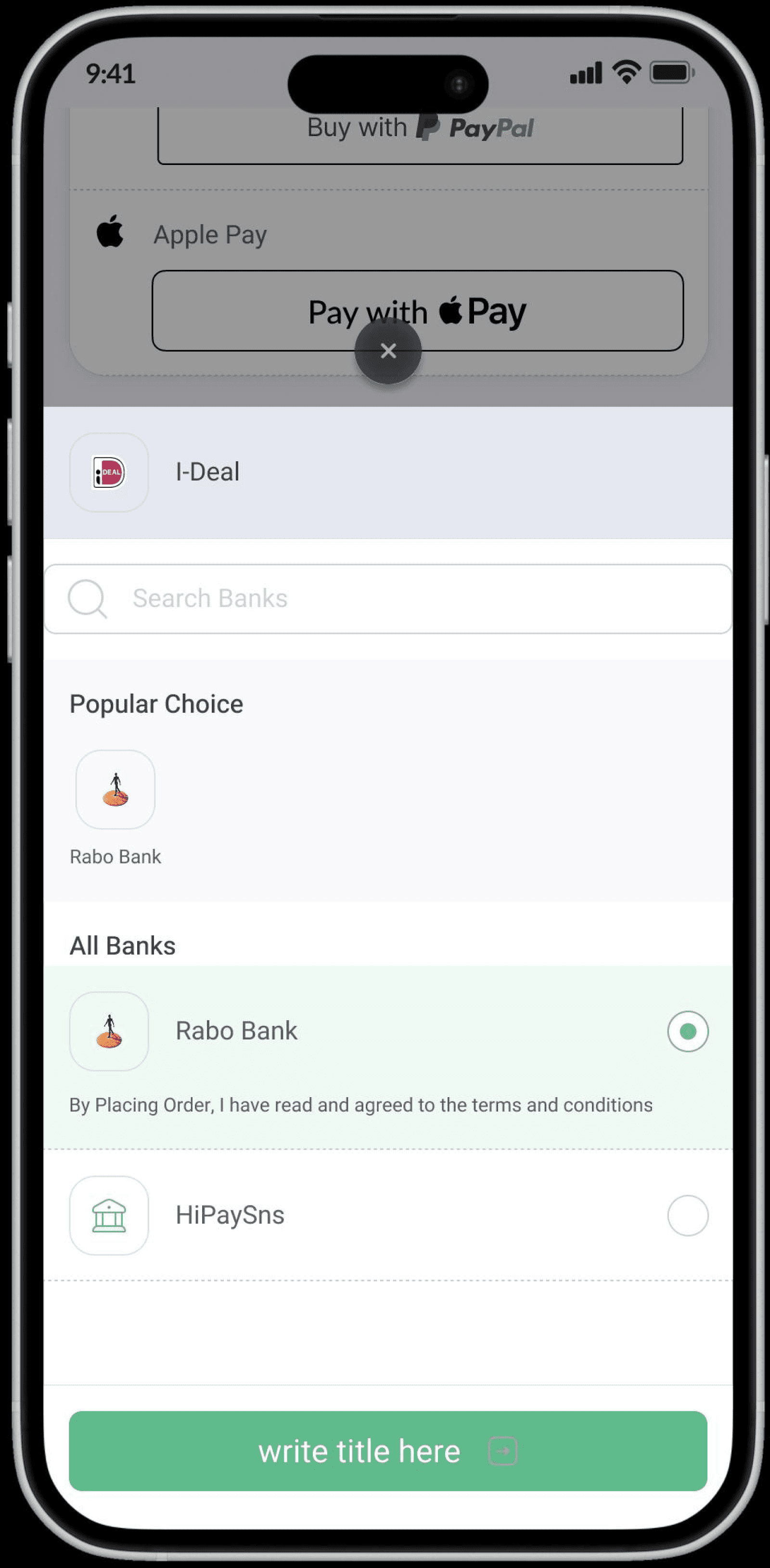
Regional flow
Regional bank handoff with contextual action state.

Neteller
Secure ID and account ID fields for Neteller.

Bank consent
Selected bank with consent state and proceed button.
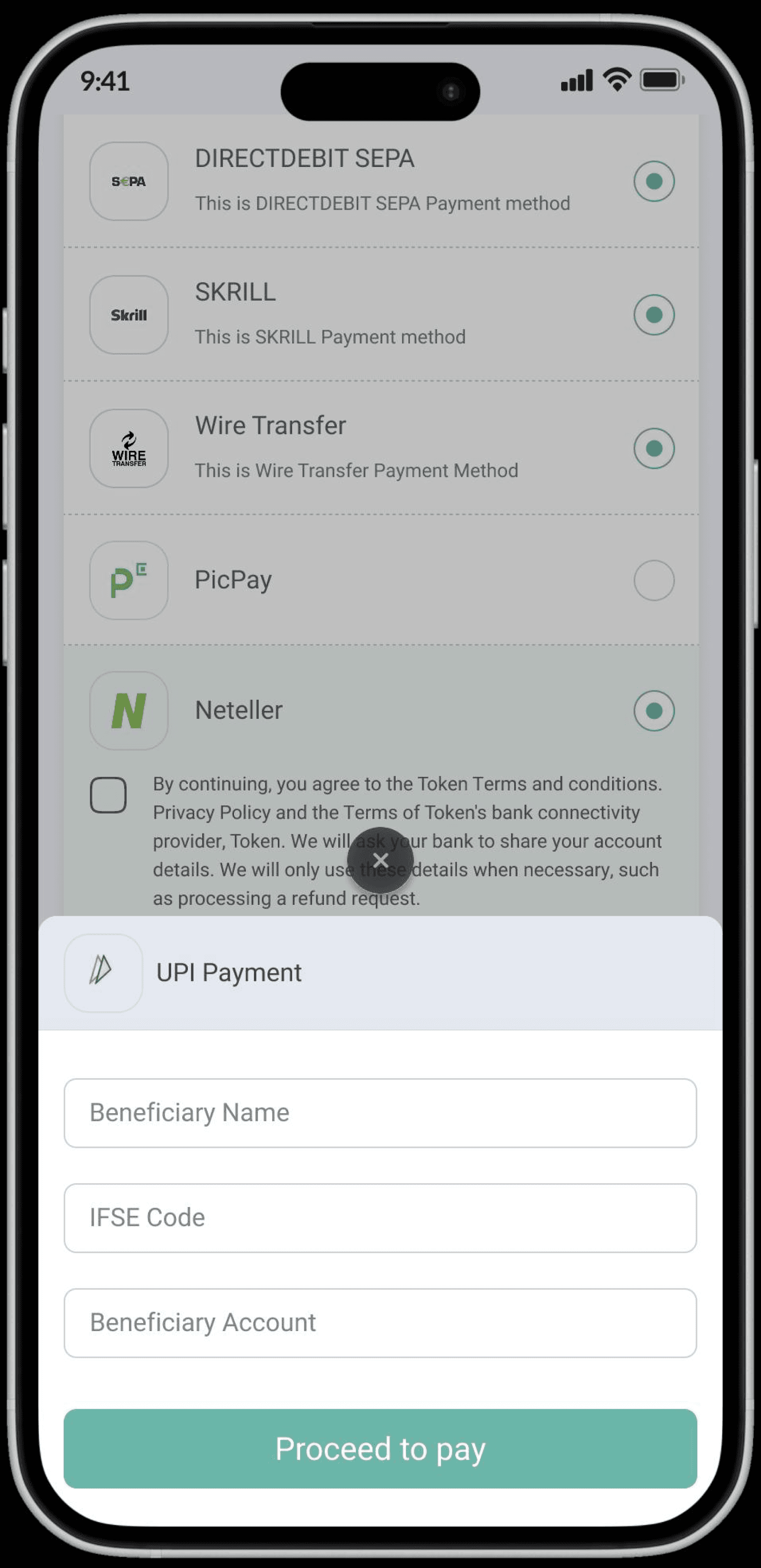
UPI
Beneficiary details, IFSC, and account fields for UPI.

SEPA
SEPA direct debit with IBAN and account fields.

iDEAL
Localized iDEAL selection flow.

Skrill
Wallet login flow with customer email input.

PicPay
Document selection and identifier fields for PicPay.
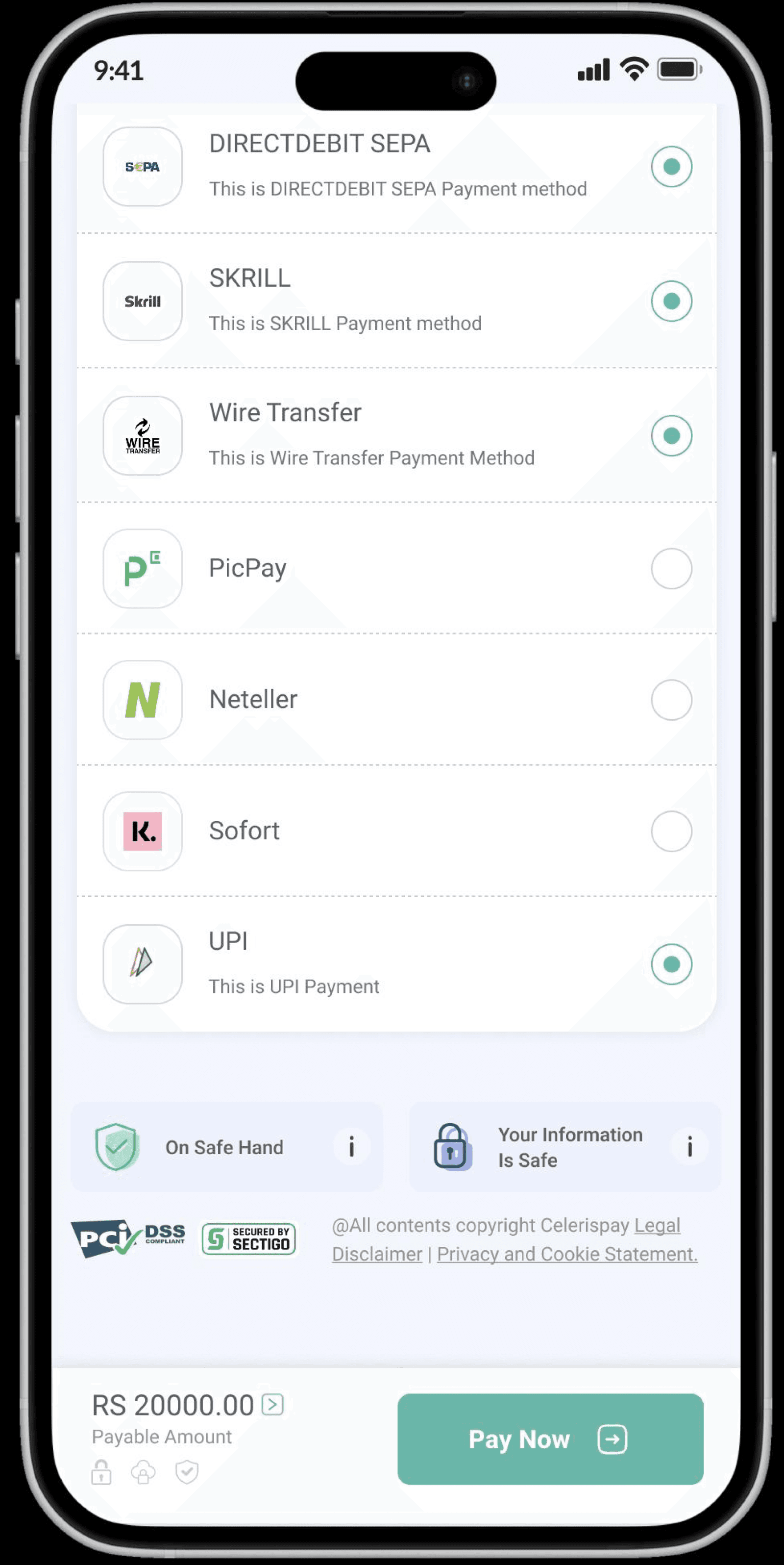
All methods
Expanded method list with a clean, consistent hierarchy.

Cancel payment
A clear confirmation modal prevents accidental exit.
Trust and compliance
What I added
•
PCI DSS and Secured badges below the checkout area.
•
“On Safe Hand” and “Your Information Is Safe” trust cards.
•
•
Trust in the new UI
The design uses calm surfaces, soft borders, consistent iconography,
and clear action states. That makes the payment page feel controlled
instead of crowded.


Desktop
Desktop structure
•
Left rail for category navigation and quick entry points.
•
Central column for the payment method list and forms.
•
Right rail for summary, profile context, and payment breakup.
•
Persistent bottom actions to reduce missed confirmation states.
Why this matters
Desktop payment flows often fail because they try to copy mobile
exactly. This version scales the logic while giving each panel a distinct
job. That makes the checkout easier to manage when many methods
coexist.
Same payment engine. Different information density.

Desktop overview
Merchant dashboard-style view with payment method list and summary.
Quick Navigation to payments methods , available as an overview
Close-up desktop checkout state showing modular method layout.
Scalability
How the system scales
The design is built as a framework. That means new payment methods can be added by following the same rules instead of rebuilding the UI each time.
Payment method shell
Every method uses the same structural
pattern: icon, label, description, selection
state, and dynamic fields.
State-driven forms
The form content changes by method, not by
page. This keeps the checkout frame stable
while the inputs change.
Trust layer
Security messaging and compliance badges
can be reused across product lines without
redesigning each payment page.
What this means for future work
•
New payment methods can be added faster.
•
•
•
The design system stays coherent as the product grows.
Product principle
The checkout experience should not become more confusing as the
business grows. The interface should get smarter, not busier.
The user sees a simple checkout. The system handles the complexity in the background.